
Your blog post
Blog post description.
2/9/20265 min read
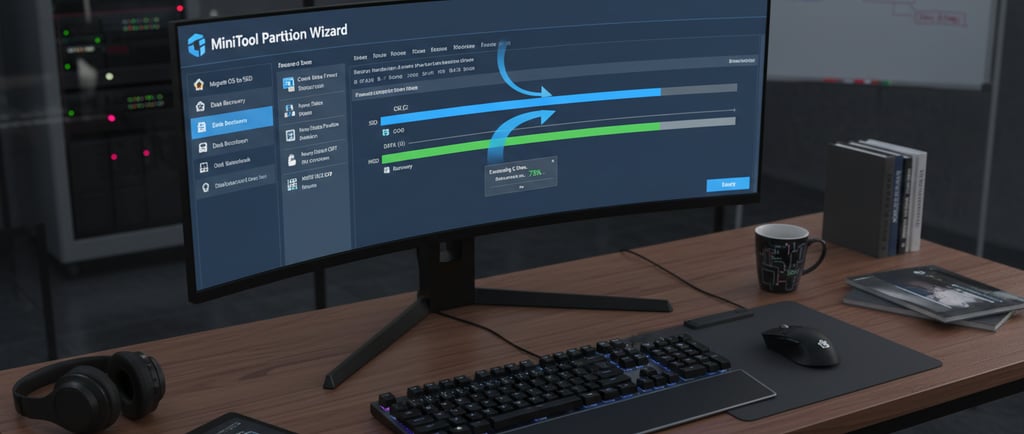
MiniTool Partition Wizard Software: A Comprehensive Guide to Disk Management
In the realm of software engineering and system administration, efficient data organization and hardware optimization are paramount. Whether you are a developer setting up a multi-boot environment, a system administrator managing server clusters, or a home user trying to speed up a sluggish PC, the right disk management tool is indispensable.
Enter MiniTool Partition Wizard software, a leading partition manager software that has become a staple in the toolkit of IT professionals worldwide. This guide explores everything you need to know about this powerful system utility software, from its core functions to its advanced applications in modern software development and system maintenance.
What is MiniTool Partition Wizard Software?
MiniTool Partition Wizard software is a comprehensive, feature-rich Windows partition software designed to help users manage hard drives, SSDs, and other storage devices with ease. While Windows includes a built-in tool called "Disk Management," it often lacks the advanced flexibility required for complex tasks like non-contiguous partition merging or MBR to GPT conversion without data loss.
MiniTool Partition Wizard bridges this gap by offering an intuitive graphical user interface (GUI) that simplifies high-level disk operations. In the context of software engineering, it serves as a critical utility for preparing development environments, managing virtual disks, and ensuring that system resources are allocated for maximum performance.
Why Disk Partition Management Matters in Software Engineering
For those involved in software development and software engineering, disk partitioning is not just about organizing files; it’s about system architecture.
Environment Isolation: Partitioning allows developers to separate the operating system from project data, reducing the risk of data loss during system crashes.
Performance Optimization: Strategic partitioning, such as SSD 4K alignment, ensures that the hardware performs at peak efficiency, which is vital when running resource-heavy IDEs or compilers.
Multi-Boot Support: Software engineers often need to test applications across different versions of Windows or Linux. A reliable partition manager software makes it easy to create the necessary partitions for these environments.
System Redundancy: By isolating system logs and swap files on separate partitions, engineers can prevent a "disk full" error in one area from crashing the entire OS.
Key Features of MiniTool Partition Wizard
MiniTool Partition Wizard is packed with features that go far beyond simple formatting. Here are the core capabilities that make it a premier disk management tool:
1. Basic Partition Management
At its most fundamental level, the software allows you to create, delete, and format partitions. It supports a wide range of file systems including NTFS, FAT32, exFAT, and Ext2/3/4 (Linux file systems), making it a versatile tool for cross-platform developers.
2. Move and Resize Partitions
One of the most frequent challenges in Windows partition software usage is the "Low Disk Space" warning on the C: drive. MiniTool allows you to shrink a neighboring partition and "move" the unallocated space to extend the system partition—all without needing to reinstall Windows.
3. Disk Conversion (MBR to GPT)
With the shift toward UEFI boot mode, converting disks from MBR (Master Boot Record) to GPT (GUID Partition Table) is essential. Unlike many other tools, MiniTool Partition Wizard can perform this conversion without destroying the data on the disk.
4. OS Migration to SSD/HDD
Upgrading to a faster SSD is one of the best ways to improve a system's performance. The software includes a wizard that clones your entire operating system to a new drive, ensuring all your software configurations and registry settings remain intact.
5. Data and Partition Recovery
Accidentally deleted a partition? The Partition Recovery Wizard can scan the drive and restore lost volumes. The Pro versions also include a deep-scan data recovery feature to retrieve files from formatted or damaged drives.
6. Disk Benchmarking and Health Check
To ensure your hardware is healthy, the software includes a Disk Benchmark tool to measure read/write speeds and a Surface Test to check for physical bad sectors on the disk.
Use Cases in Software Engineering and System Maintenance
The utility of MiniTool Partition Wizard software extends into various professional scenarios:
Virtual Machine (VM) Preparation: When creating virtual hard disks (VHDs), engineers use MiniTool to pre-partition the space before installing guest operating systems.
Legacy System Support: When maintaining legacy software that requires older file systems (like FAT32), this tool allows for easy conversion and resizing.
Server Optimization: In enterprise environments, system utility software is used to manage large-scale RAID arrays and dynamic disks (available in the Server and Enterprise editions).
Secure Data Wiping: Before decommissioning a drive, developers can use the "Wipe Disk" feature to overwrite data multiple times, ensuring it is unrecoverable—a key requirement for data privacy compliance.
Advantages and Limitations
Advantages
User-Friendly Interface: The "Apply Changes" queue system allows you to preview all operations before executing them, preventing accidental mistakes.
High Success Rate: It is renowned for its stability when performing risky operations like merging partitions.
Versatility: Supports all types of storage, including HDDs, SSDs, SSHDs, External hard drives, USB drives, and SD cards.
Bootable Media: You can create a WinPE-based bootable USB to manage partitions outside of the OS environment, which is helpful if Windows fails to boot.
Limitations
Free Version Restrictions: While the free version is powerful, features like OS migration and GPT conversion are locked behind the Pro license.
No Redo Option: While there is an "Undo" button, there is no "Redo" function once you've backed out of a queued operation.
Linux Support: While it can format to Ext4, it cannot resize some specific Linux-native partition types as effectively as it handles NTFS.
Free vs. Paid Versions Comparison
Feature
Free Edition
Pro Edition
Server/Enterprise
Create/Delete/Format
Yes
Yes
Yes
Resize/Move/Merge
Yes
Yes
Yes
Migrate OS to SSD
No
Yes
Yes
Convert OS Disk (MBR to GPT)
No
Yes
Yes
Data Recovery
No
Yes
Yes
Windows Server Support
No
No
Yes
Commercial Use
No
Yes
Yes
Supported Operating Systems
MiniTool Partition Wizard is highly compatible across the Windows ecosystem:
Windows 11 / 10 / 8.1 / 8 / 7: All editions are fully supported.
Windows Server: The Server and Technician editions support Windows Server 2025, 2022, 2019, 2016, 2012, and 2008.
Best Practices for Using Partition Software (Safety First)
Modifying the structure of a hard drive always carries an inherent risk. Before using any partition manager software, follow these safety steps:
Back Up Your Data: Even with "data-safe" technology, a sudden power outage during a partition move can cause corruption. Use a tool like MiniTool ShadowMaker or cloud storage to back up critical files first.
Check Disk Health: Run a "Surface Test" within MiniTool to ensure the drive doesn't have physical errors that could be aggravated by heavy read/write operations.
Ensure Constant Power: If you are on a laptop, ensure it is plugged into a power source. For desktops, using a UPS (Uninterruptible Power Supply) is recommended for long operations.
Close Background Apps: Turn off anti-virus scans or heavy downloads while the software is modifying the disk structure to prevent system conflicts.
Conclusion
In the fast-paced world of software engineering and digital infrastructure management, the MiniTool Partition Wizard software stands out as a reliable, versatile, and powerful solution. By providing an all-in-one platform for disk optimization, data recovery, and system migration, it empowers users to take full control of their storage hardware.
Whether you are looking to fix a "Low Disk Space" error or architecting a complex multi-boot workstation for software development, this disk management tool provides the precision and safety required for modern computing. As systems become more complex, having a trusted partition manager software in your arsenal is no longer optional—it is a fundamental necessity for maintaining a healthy and efficient digital environment.
Visit softwareengineerings.com for more deep dives into essential software utilities and engineering best practices.